The courtside scoreboard is now in your pocket.
Score from your wrist, let the app call it out. A voice scoreboard for padel, tennis, pickleball and padbol.

How it works
Put the phone on the court and get back to playing.
Nobody should have to keep the score in their head mid-match. ScoreSay turns the phone you set down by the court into a real scoreboard: play never stops and the score is never argued over.
From your wrist or a remote
Got a smartwatch — Apple Watch or Wear OS? Add points from the watch and see the score on your wrist. No watch? A cheap Bluetooth remote does the same job. Neither? Tap the screen.
Hear the score
The score is announced out loud: “thirty – forty”. Pair a Bluetooth speaker and the whole court hears it.
Just play
Mount the phone by the court, the screen never sleeps and the score reads from metres away. The app tracks serve order too.
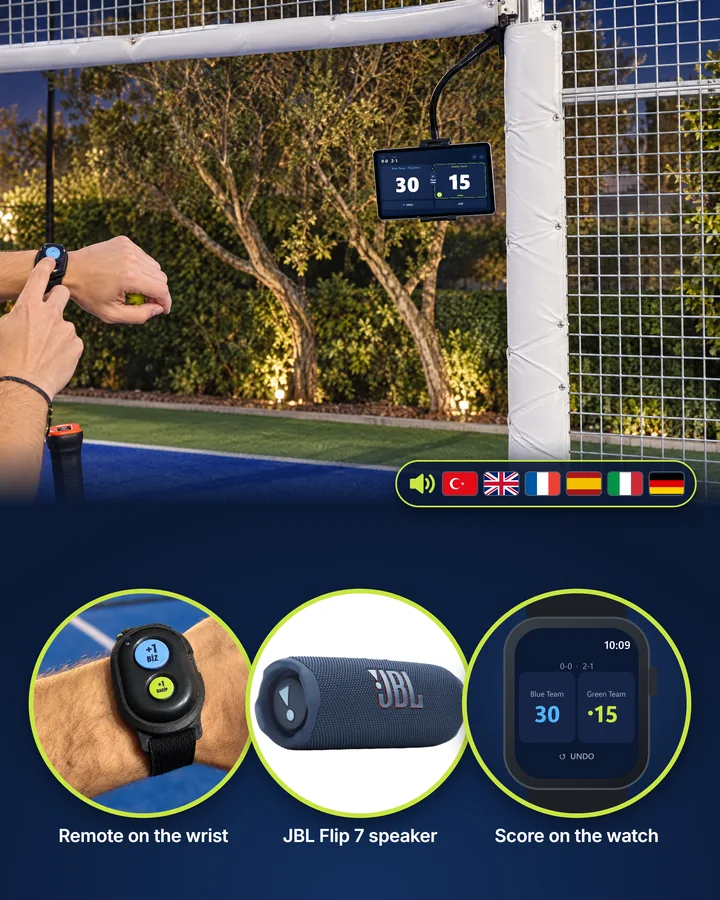
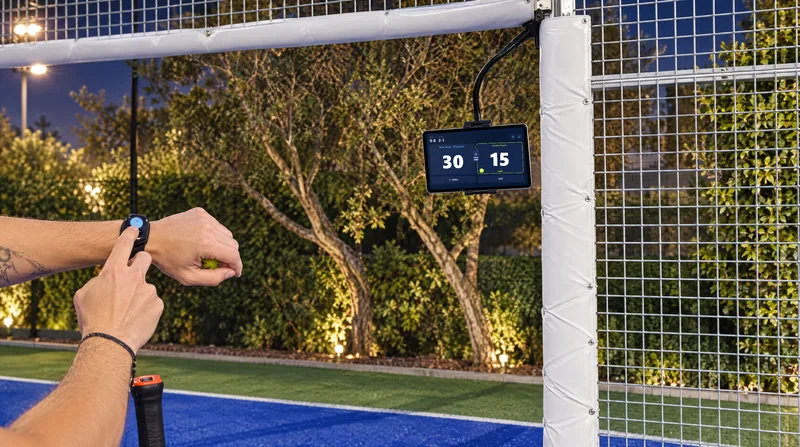
On court
Phone on the court, score for everyone.
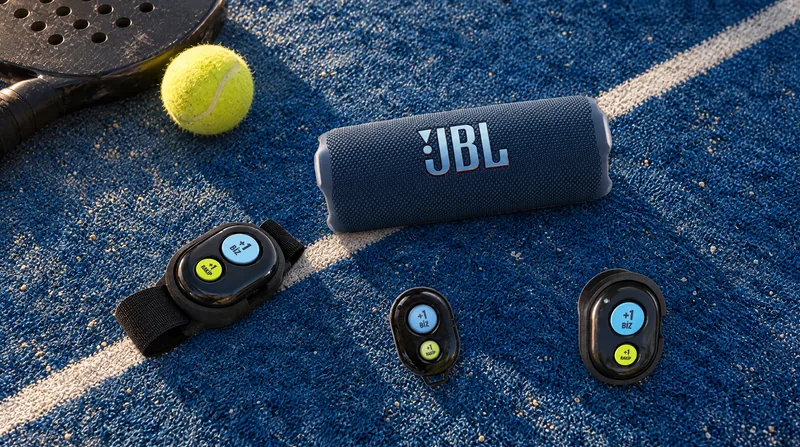
Add points from the watch or the remote; the phone calls the score and the TV shows it. Three photos, three ways.

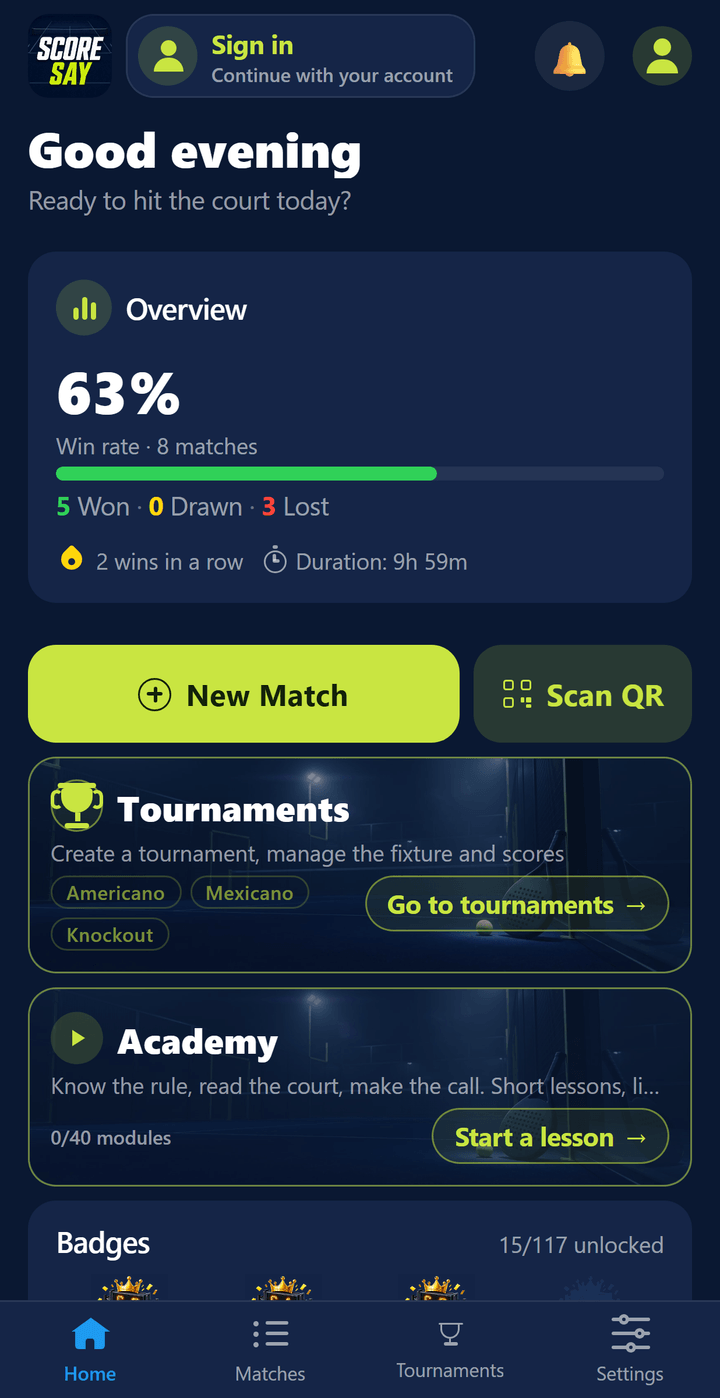
From the app
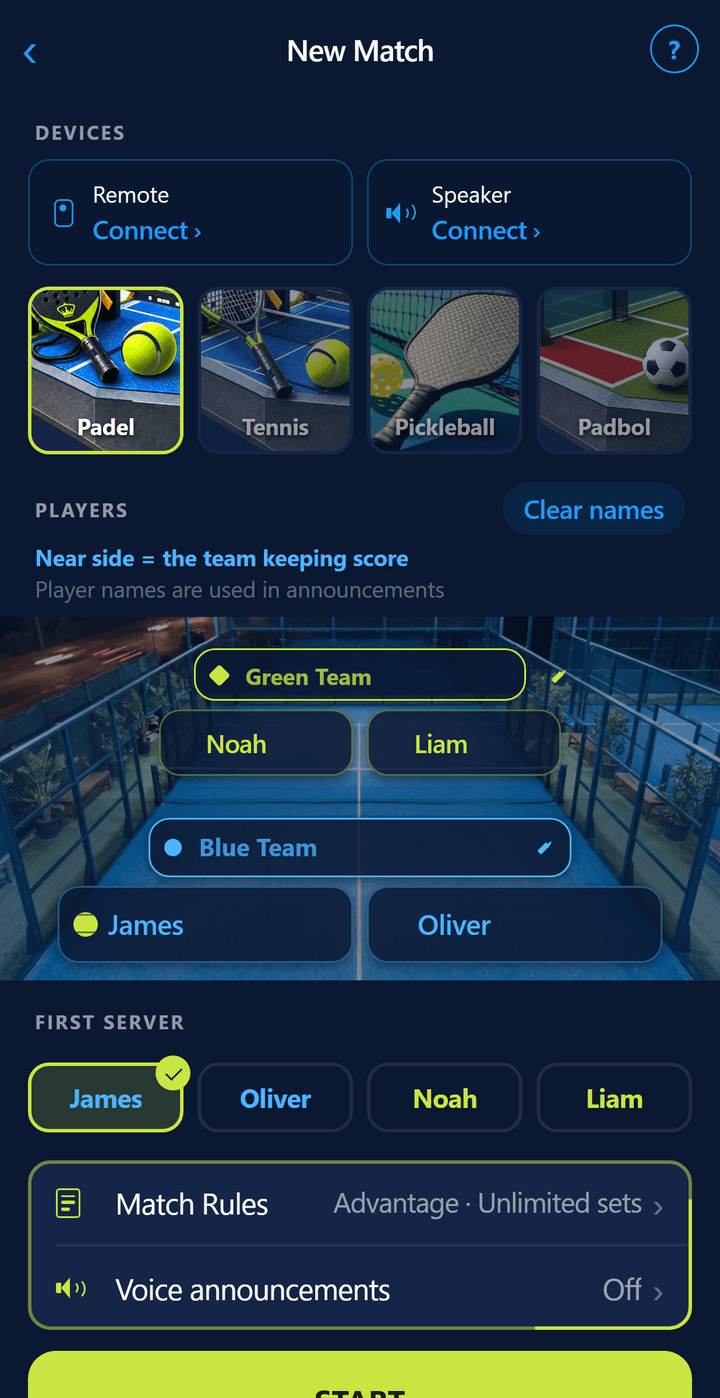
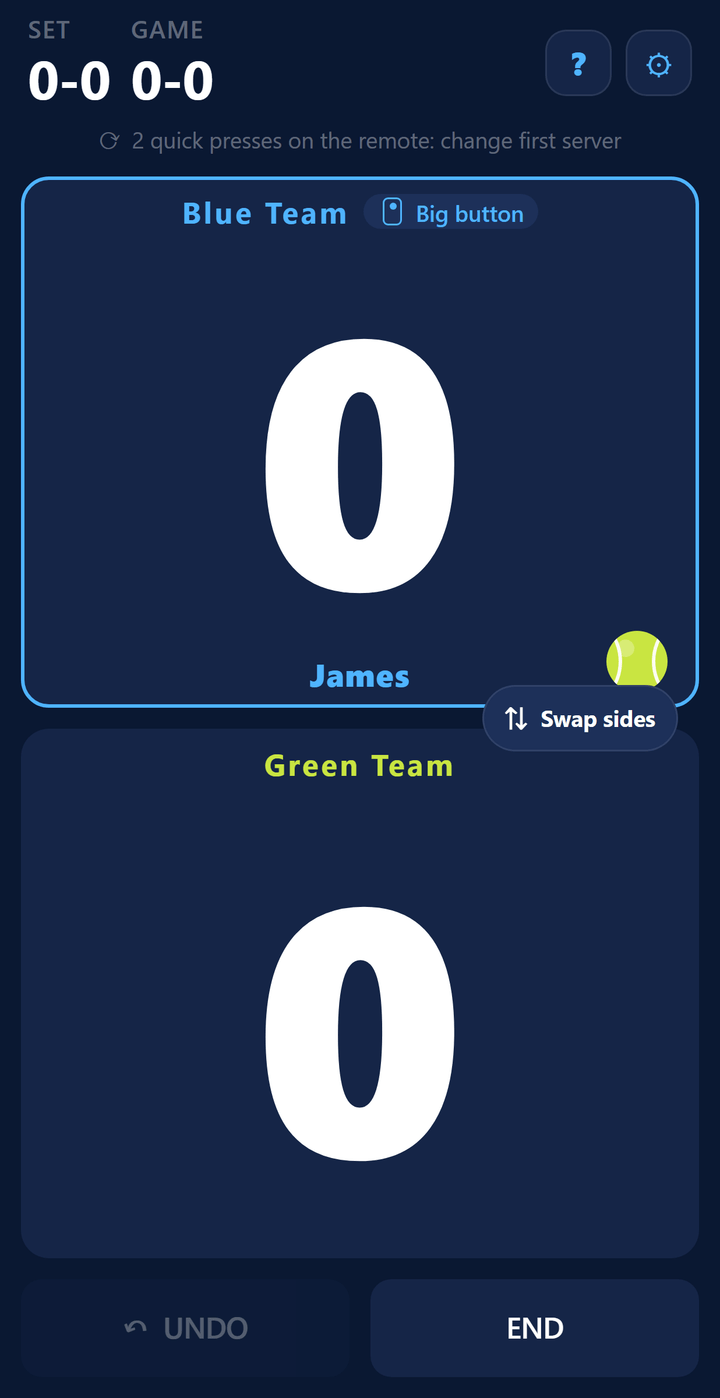
This is how it looks from courtside.
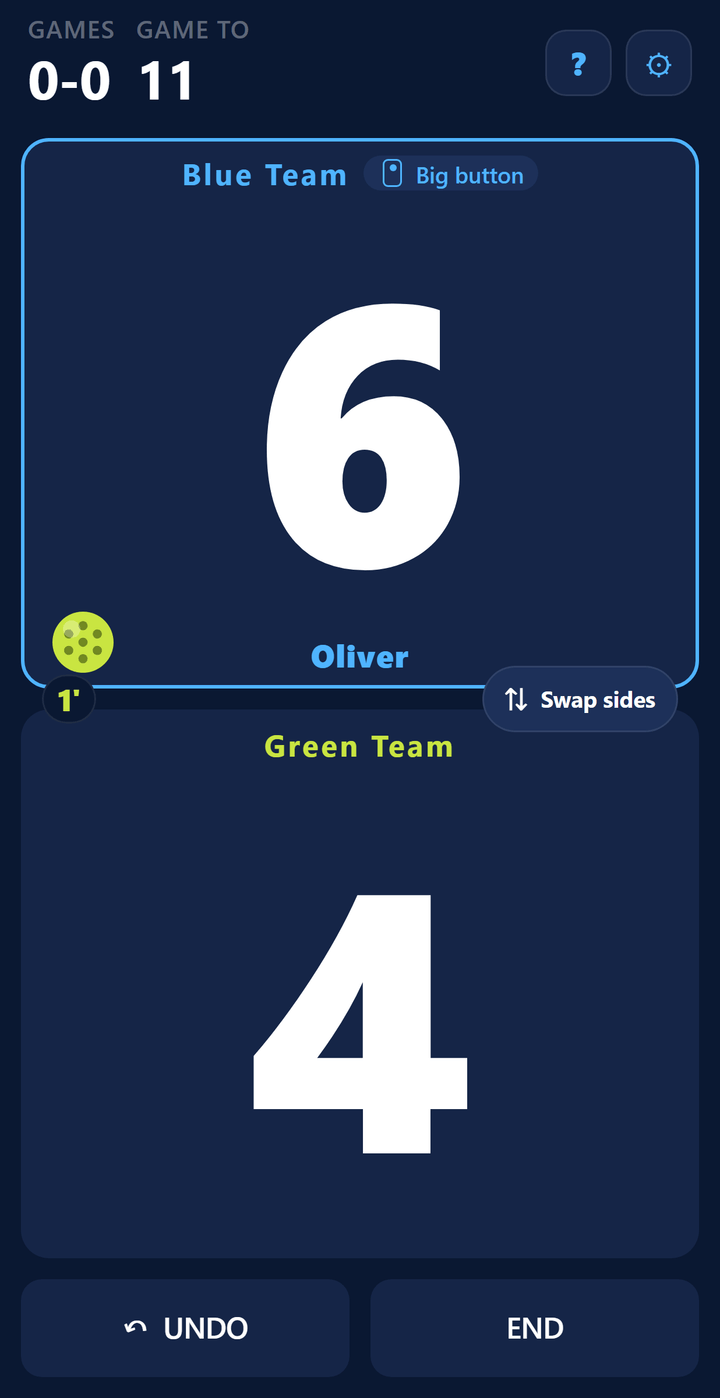
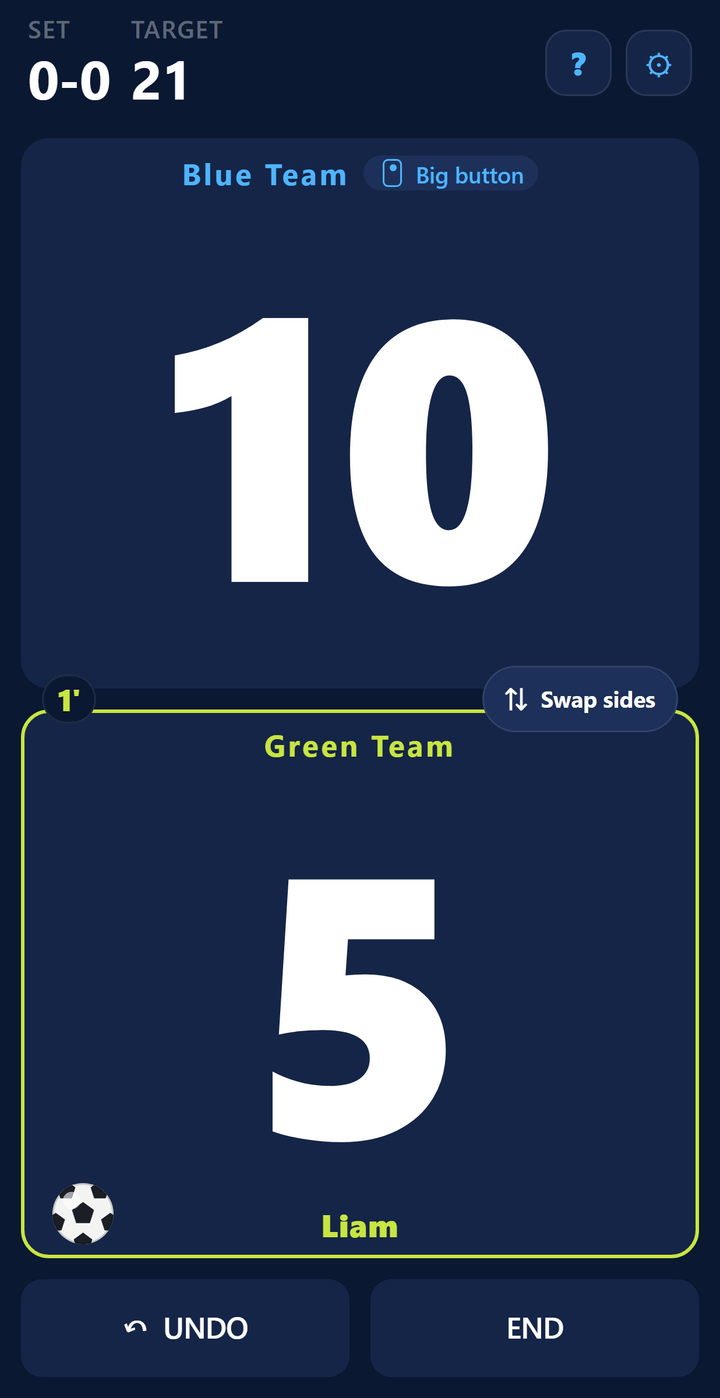
Large type, a serve indicator and set bars — put the phone by the court and the score reads from metres away.
Four sports
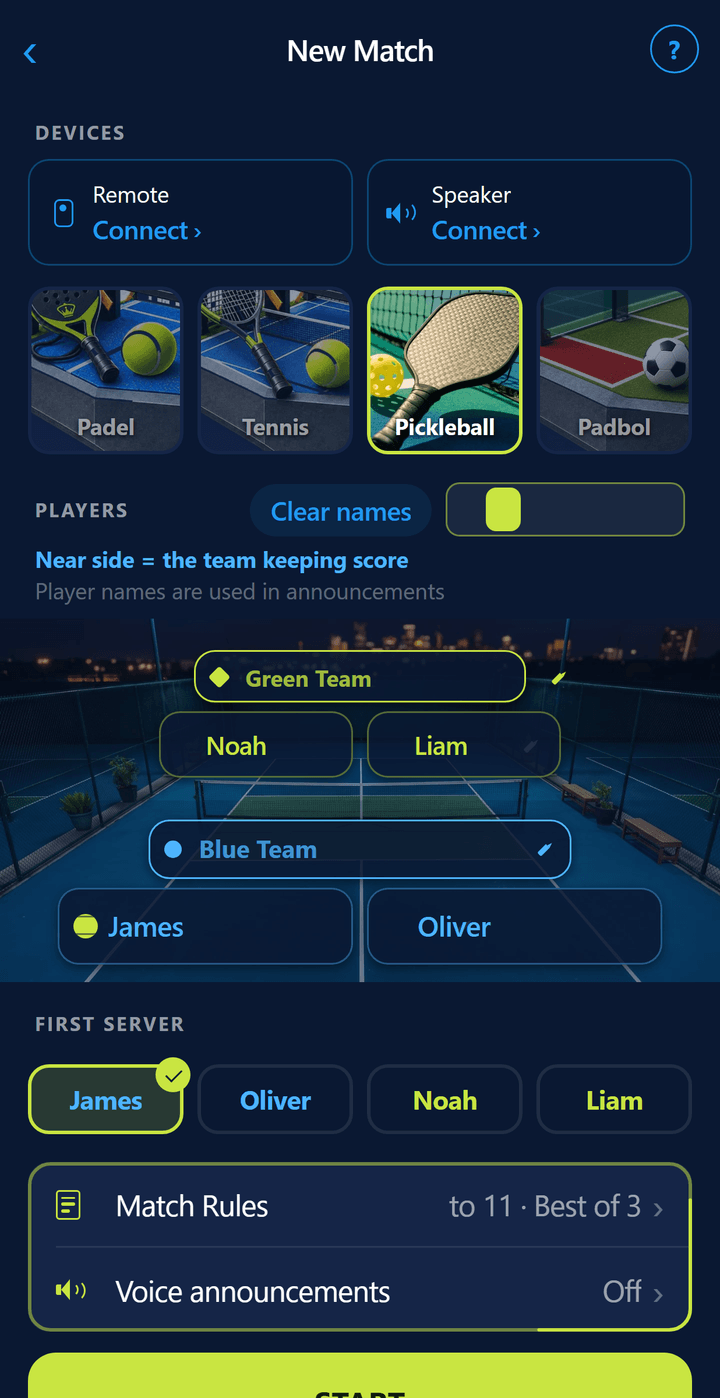
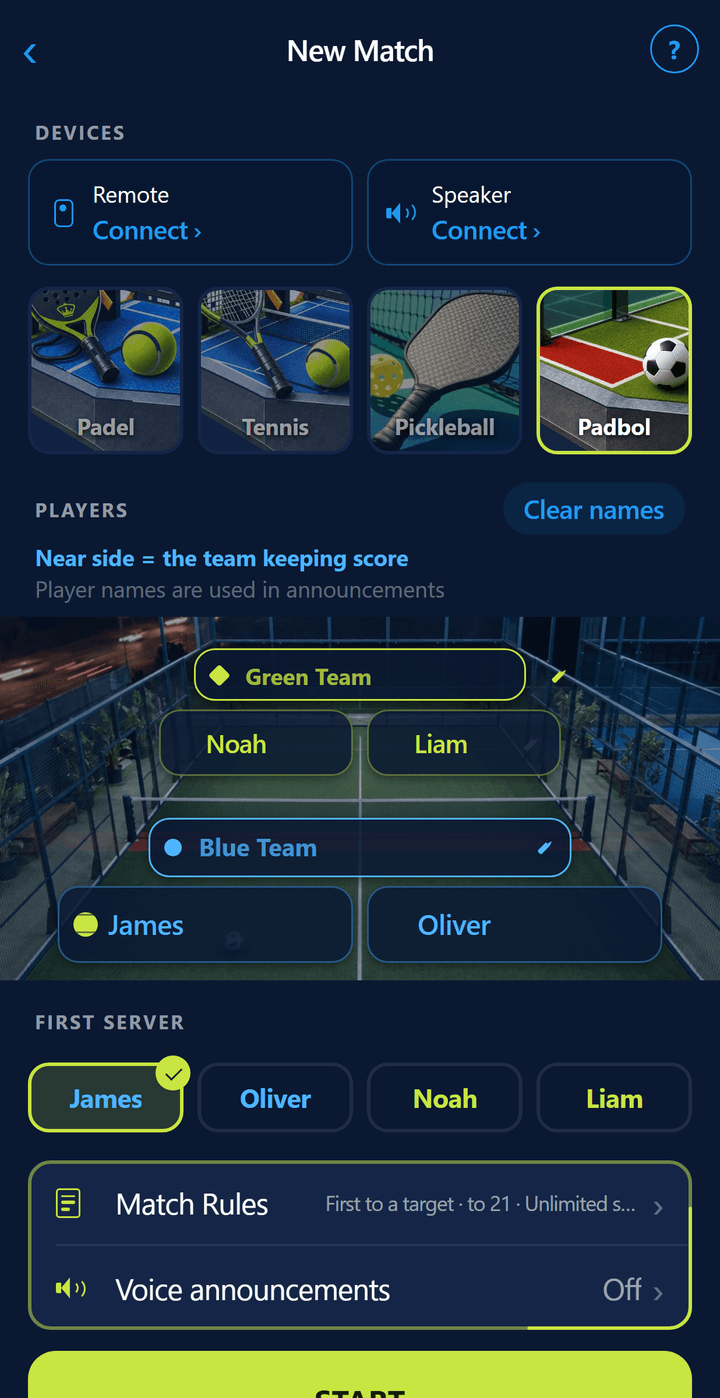
Pickleball and Padbol are in the same app.
Pick the sport in setup and the court, rules and score screen follow. Side-out scoring to 11 for pickleball, sets played to 21 points for padbol.
Apple Watch & Wear OS
Score from your wrist.
The watch app comes with the phone app — nothing extra to download. Two large areas on your wrist: left is your team, right is theirs; the button below undoes the last point. The serve ball also shows which side the serve comes from. The match runs on the phone and the phone makes the call — the watch replaces the remote.


On iPhone: watchOS 10 and later (Apple Watch Series 4 and up). On Android: Wear OS 3 and later (Galaxy Watch 4 and up, Pixel Watch). The watch works as the phone’s remote: to enter points, the paired phone must be nearby with a match open. Turning the watch on turns the Bluetooth remote off — only one works at a time.

Padel, Tennis, Pickleball & Padbol Voice Scoreboard
Score from your wrist, let the app call it out. Download and get on court without an account — sign in later if you want to add your friends.
Features
Everything you need on court.
Works on your watch
On Apple Watch the watch app installs alongside the phone app; on Wear OS you install it from Play. Add points from your wrist, read the score from your wrist, undo a mistap. No need to buy a separate remote.
Works with any remote
Not tied to one brand. “Learn key” records what your remote actually sends. On a two-button remote the top button is your point and the bottom one theirs; two quick presses undo, three presses have the score read out. On a one-button remote the presses are counted: once for you, twice for them, three times to undo.
Spoken announcements
The score is called out after every point. Announcement detail and speech rate are adjustable; three clicks repeats the current score.
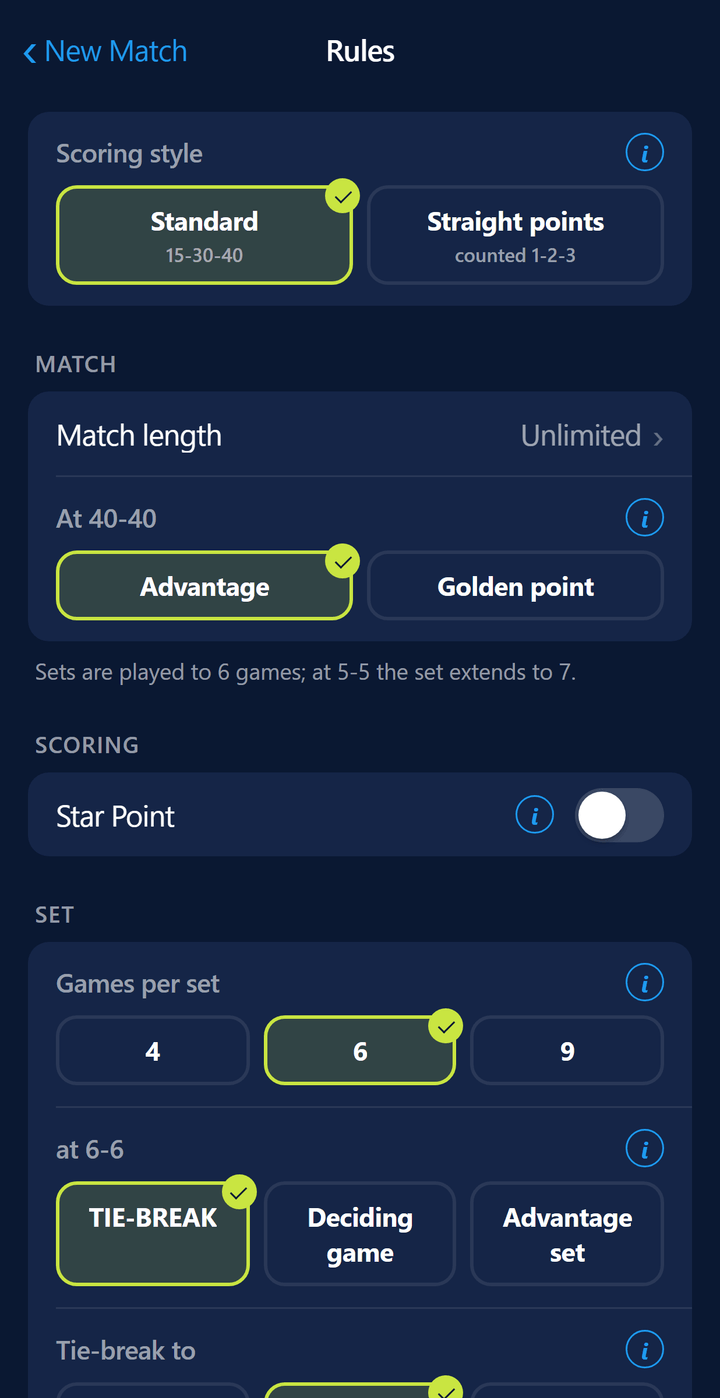
Complete padel rules
Golden point or advantage, tie-break, super tie-break, deciding game, advantage set, four-way serve rotation, change-of-ends reminder, unlimited undo.
Your match survives
Close the app or let the phone die — the match resumes where it left off. Finished matches stay in the history screen.
Account optional
Scoring and joining a tournament with its code work without one; running a tournament needs an account. Sign in and your settings and match history follow you from device to device; add friends with a QR code or an invite link, matches you play together land in their history too, and friends can watch your score live. Tournaments that take sign-ups through a link also use your account.
Pickleball
Side-out serving: only the serving side scores. Games to 11, 15 or 21. Announcer and rules in six languages.
Padbol
Football on a padel court: feet, head and chest, no hands. A set goes to the first side to reach 21 points and the serve changes every 2 points; padel scoring (15-30-40) can be chosen too. Always doubles.
Americano match type
A single match without setting up a tournament: play to 16, 21, 24 or 32 points, the serve rotates every 2 or 4 points, and a draw is possible. For players whose club runs its Americano without the app.
Academy
One course per sport: rules, technique, tactics and match craft. Court diagrams, questions, short tests and pocket summary cards. Lessons unlock in order and earn you badges.
Only your sports
On first launch the app asks which sports you play and then shows only those — in match setup, tournaments, the Academy and the badges. Change it any time in Settings › Sports.
Six languages, two at a time
Interface and announcements in English, Turkish, French, Spanish, Italian and German. Mixed court? Turn on a second announcement language and every point is called in both. Tennis mode is included: singles, doubles and every set format.
Equipment
No remote yet? They are easy to find.
ScoreSay works with any Bluetooth shutter remote — the small ones that pair with your phone as a keyboard. We have written up which to get and where to find one, along with our pick for a court speaker.

ScoreSay Bluetooth Remote
AB Shutter type, pairs with the phone as a keyboard — no app permissions needed. Top button your point, bottom button theirs; two quick presses undo. The battery lasts months.

Tournament day
Standings update themselves, spectators watch live.
In Americano, Mexicano and knockout tournaments scores go in courtside; the board is public at scoresay.com/t/CODE. In a club tournament, the club’s sponsors rotate there too.